
Benchmarking AI Code Generation – From –24 to +25 Net Tests with Codebase Context
I tested LLMs with and without structured repo knowledge on FastAPI and Django. Here's how adding context changed the results.

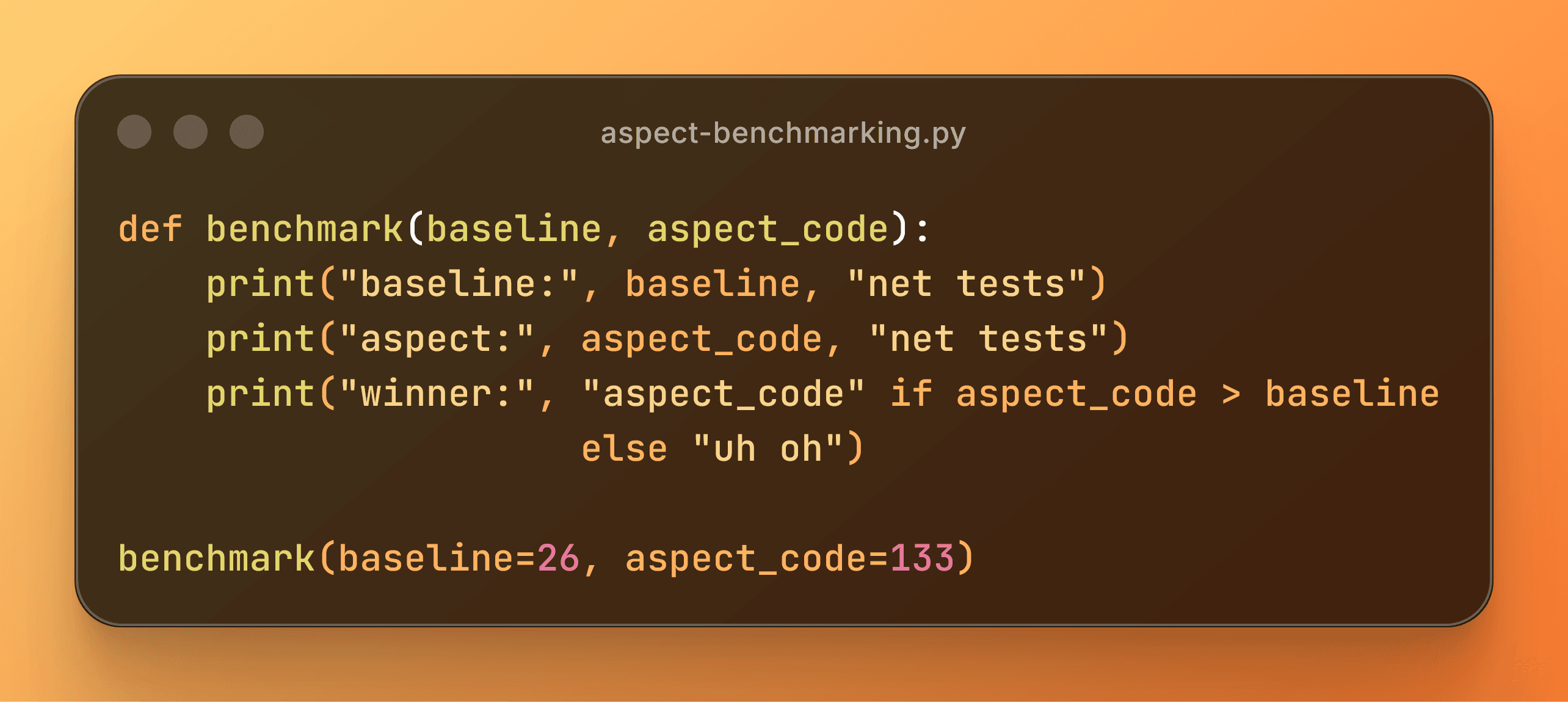
Related: Aspect Code — the problem I'm solving and why context matters.
Open Source Benchmark: github.com/asashepard/Aspect-Bench
If you're going to claim "AI writes better code with structured context," you should probably prove it.
The question: Does giving an AI model structured repo knowledge (architecture, dependencies, flows) help it fix more tests, break less code, and work more efficiently?
The test: Run 15 tasks on FastAPI (greenfield) and Django (brownfield) repos, comparing baseline prompts vs prompts with Aspect Code's knowledge base.
The specific repos used for this benchmark: github.com/fastapi/full-stack-fastapi-template, github.com/djangopackages/djangopackages.
Methodology
Each task ran in two modes:
- Baseline: Task description + relevant source files + test expectations
- Aspect KB: Baseline + the 3-file knowledge base Aspect Code generates:
architecture.md— high-risk hubs, entry points, directory layout, circular depsmap.md— symbol index with signatures, data models, conventionscontext.md— module clusters, critical flows, external integrations- Plus assistant instructions (
.github/copilot-instructions.md, Cursor rules,CLAUDE.md)
Same model, same task, same code — the only variable is whether the KB is included.
Test repos:
- FastAPI (greenfield) — clean architecture, modern patterns
- Django (brownfield) — legacy patterns, tighter coupling, realistic complexity
15 tasks per repo: Typical backlog items like refactoring services, adding caching, soft deletes, CSV exports, rate limiting, etc.
Models:
- Claude 4 Sonnet — fast, cost-effective baseline
- Claude 4.5 Opus — SOTA, higher capability
Each task ran under four conditions (2 repos × 2 models × 2 modes). Temperature = 0.0, identical prompts except for KB content.
Metrics tracked:
- Net tests: (tests fixed) − (tests broken)
- Catastrophic failures: Runs where the AI introduced errors that prevented tests from running at all (syntax errors, import failures, etc.)
- Efficiency: Total tokens, LOC, files touched
Results
The Big Picture: Net Tests by Configuration
| Configuration | FastAPI (Greenfield) | Django (Brownfield) |
|---|---|---|
| Baseline / Sonnet 4 | −31 | −28 |
| Baseline / Opus 4.5 | −2 | −22 |
| Aspect KB / Sonnet 4 | +17 | −20 |
| Aspect KB / Opus 4.5 | +28 | −3 |
The pattern is clear:
- Baseline models consistently break more tests than they fix (negative net tests)
- Aspect Code KB flips the script on FastAPI — both models go from negative to positive
- Django is harder — even the best config only gets to −3, but that's still a massive improvement from −28
FastAPI (Greenfield): Full Results
| Configuration | Net Tests | Tasks Improved | Tasks Regressed | Catastrophic | Avg Tokens/Run | Avg LOC/Run |
|---|---|---|---|---|---|---|
| Baseline / Sonnet 4 | −31 | 5 | 7 | 5 | 3,428 | 301 |
| Baseline / Opus 4.5 | −2 | 6 | 4 | 2 | 4,952 | 465 |
| Aspect KB / Sonnet 4 | +17 | 7 | 2 | 2 | 3,304 | 285 |
| Aspect KB / Opus 4.5 | +28 | 8 | 3 | 1 | 2,901 | 261 |
Key observations:
- Sonnet 4 baseline is brutal: −31 net tests, 5 catastrophic failures
- Aspect KB transforms Sonnet 4: From −31 → +17, catastrophic failures drop from 5 → 2
- Opus 4.5 + Aspect KB wins: +28 net tests, only 1 catastrophic failure, and 41% fewer tokens than baseline Opus
Django (Brownfield): Full Results
| Configuration | Net Tests | Tasks Improved | Tasks Regressed | Catastrophic | Avg Tokens/Run | Avg LOC/Run |
|---|---|---|---|---|---|---|
| Baseline / Sonnet 4 | −28 | 3 | 6 | 3 | 2,871 | 235 |
| Baseline / Opus 4.5 | −22 | 4 | 6 | 2 | 3,510 | 302 |
| Aspect KB / Sonnet 4 | −20 | 3 | 4 | 1 | 3,001 | 232 |
| Aspect KB / Opus 4.5 | −3 | 4 | 4 | 0 | 3,425 | 286 |
Key observations:
- Django is genuinely harder. Even the best config (Opus + KB) ends at −3 net tests
- But Aspect KB still helps dramatically: Opus goes from −22 → −3, and catastrophic failures drop to zero
- The KB prevents catastrophic failures even when it can't achieve net-positive results
Efficiency Gains
Overall efficiency improvements with Aspect KB:
| Metric | Sonnet 4 | Opus 4.5 |
|---|---|---|
| Token reduction | ~4% | ~41% |
| LOC reduction | ~5% | ~44% |
The more capable the model, the more it benefits from structured context.
Catastrophic Failures: The Safety Story
"Catastrophic" = a run where the AI introduced errors that broke the test harness entirely (syntax errors, import failures, missing dependencies). Tests couldn't even execute.
| Configuration | FastAPI | Django | Total |
|---|---|---|---|
| Baseline / Sonnet 4 | 5 | 3 | 8 |
| Baseline / Opus 4.5 | 2 | 2 | 4 |
| Aspect KB / Sonnet 4 | 2 | 1 | 3 |
| Aspect KB / Opus 4.5 | 1 | 0 | 1 |
Opus 4.5 + Aspect KB had only 1 catastrophic failure across 30 tasks. Baseline Opus had 4, and baseline Sonnet had 8.
Limitations
- Limited scope: 2 repos, 15 tasks each — representative but not exhaustive
- Single-shot prompting: Real usage involves iteration, tool calls, multi-turn conversation
- Curated tasks: Designed to be tractable, not random production work
- Coarse metrics: Net tests weighted by test count
The benchmark tests the core hypothesis (does context help?), but real usage with iteration and human feedback will likely perform better.
In rare cases, including the Aspect Code KB caused the LLM to not produce any code at first pass and instead ask for clarification. This is good! Here, the Aspect Code KB essentially helps the agent to not hallucinate that it has the right answer.
Takeaways
- Baseline LLMs break more than they fix — negative net tests across all configs
- Context flips the outcome — Across both models, FastAPI went from −31 → +28 net tests
- Brownfield is harder — Across all configurations, Django improved from −28 → −3 but stayed negative
- Better models benefit more — Opus 4.5 + KB: 41% token reduction; Sonnet 4 + KB: 4%
- KB acts as a guardrail — catastrophic failures dropped 75% with Opus overall
Opus improved by a greater margin with the Aspect KB than Sonnet, indicating that future models may benefit even more with structured knowledge as context.
Opus seems overall better at interpreting the meaning of the context it's provided. This translates into implementation; Opus was able to perform more surgical and more effective edits on the greenfield repo.
That last point is particularly exciting to me, because one of the main issues I've experienced is AI simply making too many changes, adding thousands of unnecessary lines of code.
Even though Opus was better and smarter with the extra context it was provided, Sonnet improved which suggests that Aspect Code's structured codebase context is universally helpful to an LLM-augmented workflow.
On other runs not included in this benchmark, I observed similar results with different programming languages and different LLM providers (more tests passing, fewer tokens and lines of code, fewer regressions and catastrophic breaks).
The Philosophy
In conclusion, while this benchmark is limited in that it doesn't simulate a full agentic workflow, it shows significant promise towards proving the core hypothesis that structured codebase knowledge makes AI agent outputs better and safer.
Future benchmarking tests (once Aspect Code is larger and can afford them!) may include SWE-Bench Verified, App Bench, and other AI coding benchmarks either already existing or extended from this benchmark.
The Aspect Code KB isn't a linting report or a list of issues to fix. It's structured around three principles:
- Defensive guardrails —
architecture.mdhighlights "load-bearing walls": high-risk hubs with many dependents that the model should treat carefully, informed by static analysis - Contextual density —
map.mdprovides symbol signatures and call graphs so the model can make surgical edits without reading every file - Flow awareness —
context.mdshows how modules connect, where requests flow, and which files change together
The goal is to give the model just enough structure to stay out of trouble, without overwhelming it with noise.
Aspect Code is still lacking true real-world data; at the time of writing, I'm the only user! Once I've finished preparing the VS Code extension, I'll be running a small pilot cohort.