The Panel

Understanding the Aspect Code panel and its states.

Opening the panel

Click the Aspect Code icon in the Activity Bar to open the panel. You can also run "Aspect Code: Show Panel" from the Command Palette (Ctrl+Shift+P / Cmd+Shift+P).

Setup Required state

When you first open a workspace, the panel displays "Setup required":
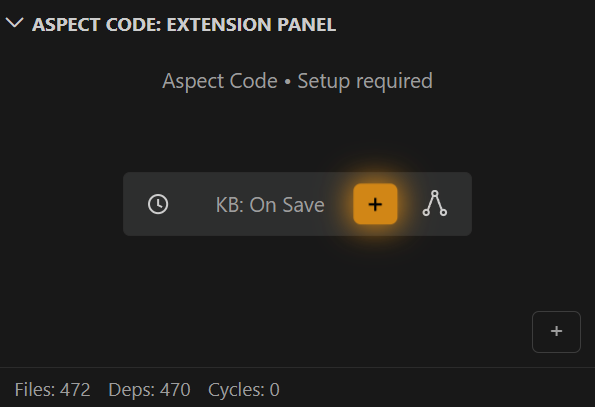

Setup Required State

The panel shows:

  • Status indicator — "Aspect Code • Setup required"
  • KB regeneration mode — Current auto-regenerate setting (e.g., "KB: On Save")
  • Generate button (+) — Orange button to generate the knowledge base
  • Graph button — Opens the dependency graph visualization
  • Workspace stats — Files, dependencies, and cycle counts at the bottom
  • Up to Date state

    After generating the knowledge base, the panel displays "Up to date":
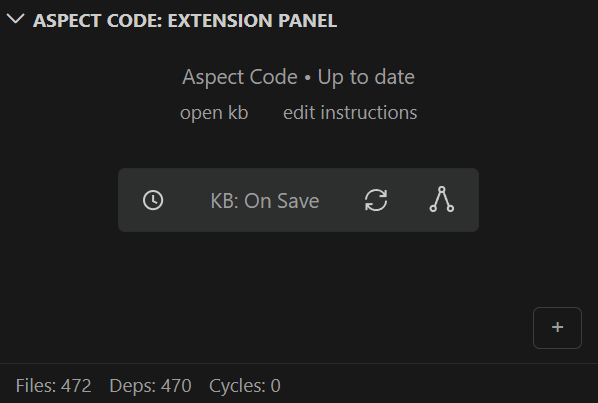

    Up to Date State

    Options available:

  • open kb — Opens the .aspect/ folder containing generated KB files
  • edit instructions — Opens .aspect/instructions.md for custom project instructions
  • Refresh button — Manually regenerate the knowledge base
  • Graph button — Opens the dependency graph visualization
  • Mode controls

    The panel includes controls for instruction generation mode after clicking the '+' button in the bottom right corner:
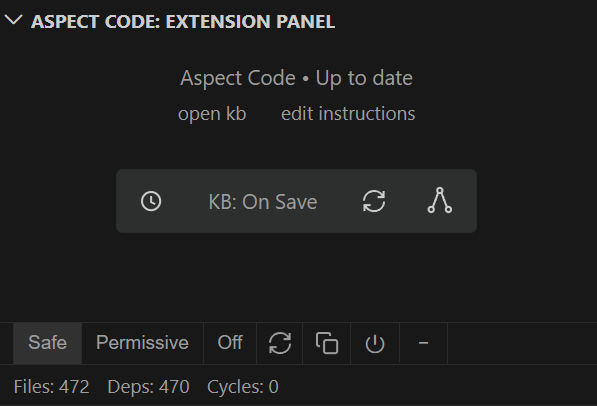

    Panel Mode Controls
  • Safe — More restrictive, conservative instructions (recommended for teams)
  • Permissive — Shorter, less restrictive instructions (good for personal projects)
  • Custom — Use your own custom instructions only (when .aspect/instructions.md is populated)
  • Off — Disable instruction generation entirely
  • Refresh — Regenerate instruction files
  • Copy — Copy KB content to clipboard
  • Power — Toggle extension enabled/disabled